Crazy NPC Riot 2.0




443
11
443
11
Crazy NPC Riot
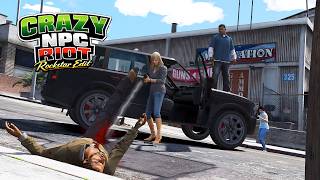
Crazy NPC Riot transforms GTA V pedestrians into a much more reactive and unpredictable crowd. A simple provocation can escalate into a realistic chain reaction where nearby NPCs decide whether to join the fight, defend themselves, or spread the conflict to others.
Version 1.0 - Features:
- NPCs react when attacked by the player.
- Dynamic NPC vs NPC combat.
- Natural domino effect that spreads fights through nearby crowds.
- Vehicle occupants react to snowball attacks by leaving their vehicle and engaging the player.
- Random weapon distribution during combat.
- Adjustable behavior through the included CrazyNPCRiot.ini configuration file.
- Optimized for stable gameplay and realistic crowd behavior.
Version 2.0 - What's New:
- Added a new dynamic weapon system for the riot.
- NPCs and police can now switch between Melee Mode and Firearms Mode in real time using a new toggle key.
- Press O to change the weapon mode.
- Melee Mode: all NPCs, including police, use only melee weapons.
- Firearms Mode: all NPCs, including police, use only firearms.
- Weapon switching works while the riot is active and affects both existing and newly involved NPCs.
- Improved weapon handling to prevent AI combat glitches during weapon changes.
- Police weapons are also replaced, allowing the entire city riot to follow the selected combat style.
- Added new INI configuration options for the weapon toggle key and starting weapon mode.
Requirements
- Script Hook V
- ScriptHookVDotNet (v2.11.6 or compatible)
- .NET Framework (required by ScriptHookVDotNet)
Installation
- Install ScriptHookV.
- Install ScriptHookVDotNet.
- Copy CrazyNPCRiot.cs and CrazyNPCRiot.ini into your scripts folder.
- Launch the game and press the L key to enable or disable the script.
Compatibility
This script has been tested on Grand Theft Auto V Build 3179.
Notes
A README file is included in the download package (v1.0) with instructions on how to customize the CrazyNPCRiot.ini configuration file.
Crazy NPC Riot transforms GTA V pedestrians into a much more reactive and unpredictable crowd. A simple provocation can escalate into a realistic chain reaction where nearby NPCs decide whether to join the fight, defend themselves, or spread the conflict to others.
Version 1.0 - Features:
- NPCs react when attacked by the player.
- Dynamic NPC vs NPC combat.
- Natural domino effect that spreads fights through nearby crowds.
- Vehicle occupants react to snowball attacks by leaving their vehicle and engaging the player.
- Random weapon distribution during combat.
- Adjustable behavior through the included CrazyNPCRiot.ini configuration file.
- Optimized for stable gameplay and realistic crowd behavior.
Version 2.0 - What's New:
- Added a new dynamic weapon system for the riot.
- NPCs and police can now switch between Melee Mode and Firearms Mode in real time using a new toggle key.
- Press O to change the weapon mode.
- Melee Mode: all NPCs, including police, use only melee weapons.
- Firearms Mode: all NPCs, including police, use only firearms.
- Weapon switching works while the riot is active and affects both existing and newly involved NPCs.
- Improved weapon handling to prevent AI combat glitches during weapon changes.
- Police weapons are also replaced, allowing the entire city riot to follow the selected combat style.
- Added new INI configuration options for the weapon toggle key and starting weapon mode.
Requirements
- Script Hook V
- ScriptHookVDotNet (v2.11.6 or compatible)
- .NET Framework (required by ScriptHookVDotNet)
Installation
- Install ScriptHookV.
- Install ScriptHookVDotNet.
- Copy CrazyNPCRiot.cs and CrazyNPCRiot.ini into your scripts folder.
- Launch the game and press the L key to enable or disable the script.
Compatibility
This script has been tested on Grand Theft Auto V Build 3179.
Notes
A README file is included in the download package (v1.0) with instructions on how to customize the CrazyNPCRiot.ini configuration file.
Первая загрузка: 6 дней назад
Последнее обновление: 17 часов назад
Последнее скачивание: 19 минут назад
10 комментариев
More mods by FPVSKY:
Crazy NPC Riot
Crazy NPC Riot transforms GTA V pedestrians into a much more reactive and unpredictable crowd. A simple provocation can escalate into a realistic chain reaction where nearby NPCs decide whether to join the fight, defend themselves, or spread the conflict to others.
Version 1.0 - Features:
- NPCs react when attacked by the player.
- Dynamic NPC vs NPC combat.
- Natural domino effect that spreads fights through nearby crowds.
- Vehicle occupants react to snowball attacks by leaving their vehicle and engaging the player.
- Random weapon distribution during combat.
- Adjustable behavior through the included CrazyNPCRiot.ini configuration file.
- Optimized for stable gameplay and realistic crowd behavior.
Version 2.0 - What's New:
- Added a new dynamic weapon system for the riot.
- NPCs and police can now switch between Melee Mode and Firearms Mode in real time using a new toggle key.
- Press O to change the weapon mode.
- Melee Mode: all NPCs, including police, use only melee weapons.
- Firearms Mode: all NPCs, including police, use only firearms.
- Weapon switching works while the riot is active and affects both existing and newly involved NPCs.
- Improved weapon handling to prevent AI combat glitches during weapon changes.
- Police weapons are also replaced, allowing the entire city riot to follow the selected combat style.
- Added new INI configuration options for the weapon toggle key and starting weapon mode.
Requirements
- Script Hook V
- ScriptHookVDotNet (v2.11.6 or compatible)
- .NET Framework (required by ScriptHookVDotNet)
Installation
- Install ScriptHookV.
- Install ScriptHookVDotNet.
- Copy CrazyNPCRiot.cs and CrazyNPCRiot.ini into your scripts folder.
- Launch the game and press the L key to enable or disable the script.
Compatibility
This script has been tested on Grand Theft Auto V Build 3179.
Notes
A README file is included in the download package (v1.0) with instructions on how to customize the CrazyNPCRiot.ini configuration file.
Crazy NPC Riot transforms GTA V pedestrians into a much more reactive and unpredictable crowd. A simple provocation can escalate into a realistic chain reaction where nearby NPCs decide whether to join the fight, defend themselves, or spread the conflict to others.
Version 1.0 - Features:
- NPCs react when attacked by the player.
- Dynamic NPC vs NPC combat.
- Natural domino effect that spreads fights through nearby crowds.
- Vehicle occupants react to snowball attacks by leaving their vehicle and engaging the player.
- Random weapon distribution during combat.
- Adjustable behavior through the included CrazyNPCRiot.ini configuration file.
- Optimized for stable gameplay and realistic crowd behavior.
Version 2.0 - What's New:
- Added a new dynamic weapon system for the riot.
- NPCs and police can now switch between Melee Mode and Firearms Mode in real time using a new toggle key.
- Press O to change the weapon mode.
- Melee Mode: all NPCs, including police, use only melee weapons.
- Firearms Mode: all NPCs, including police, use only firearms.
- Weapon switching works while the riot is active and affects both existing and newly involved NPCs.
- Improved weapon handling to prevent AI combat glitches during weapon changes.
- Police weapons are also replaced, allowing the entire city riot to follow the selected combat style.
- Added new INI configuration options for the weapon toggle key and starting weapon mode.
Requirements
- Script Hook V
- ScriptHookVDotNet (v2.11.6 or compatible)
- .NET Framework (required by ScriptHookVDotNet)
Installation
- Install ScriptHookV.
- Install ScriptHookVDotNet.
- Copy CrazyNPCRiot.cs and CrazyNPCRiot.ini into your scripts folder.
- Launch the game and press the L key to enable or disable the script.
Compatibility
This script has been tested on Grand Theft Auto V Build 3179.
Notes
A README file is included in the download package (v1.0) with instructions on how to customize the CrazyNPCRiot.ini configuration file.
Первая загрузка: 6 дней назад
Последнее обновление: 17 часов назад
Последнее скачивание: 19 минут назад
 5mods on Discord

Nice, can they yank you out of your car and drive off with it? Lol
@Starfox1993 Yes, it can happen. From what I've seen, that's actually GTA V's default AI behavior when an aggressive NPC targets you, not something specifically added by the script. 😄
@FPVSKY Cool mod but can riots be done without firearms only melee weapons including police also only use melee weapons, thanks for sharing
@FPVSKY Nice lol
@aldian0 At first, when I created the mod, everyone used melee weapons, including the police. However, I later changed it so that the police would use the game’s native weapons, while only around 15% of the NPC population would carry firearms. The rest of the NPCs use melee weapons instead. / Basically, yes, it is possible to do what you want: make everyone, including the police, use only melee weapons and have no one use firearms. However, for now, this is the current setup I have.
Maybe in a future update of the mod, I’ll add a toggle key that allows players to switch between different modes: everyone using firearms, everyone using melee weapons (including the police), and the reverse configuration.
@FPVSKY add a toggle key sounds great, I can't wait for the update, thanks for sharing
This is SO nice. I hate how all the peds if I fight them they run away or just use fists. Now I have actual gunfights and combat. Thanks!
@aldian0 done..new update..when it's approved you have the weapons system WITH TOGGLE KEY..Read description - what's new in version 2.0 - Enjoy :)
@FPVSKY I saw that the melee weapon settings were active when I first played the game, but when I was in the game, the firearms were working. When the Riot mod was turned on, I could change the weapon to melee, but the police still used firearms.
@aldian0 in order to make that work you need to change 2 times at least for the police to actually change. The game doesn't let police change their native weapons..Is the AI of the game. After changing 2 times from melee to firearms - to melee-to firearms-to melee - it should eventually work.. I can't do more. that's all there is. I tried fixing the issue - but I only made it worst. Maybe in future updates- this will be fixed, IDK